Intel 13th/14th-gen CPU degradation and the painless RMA process
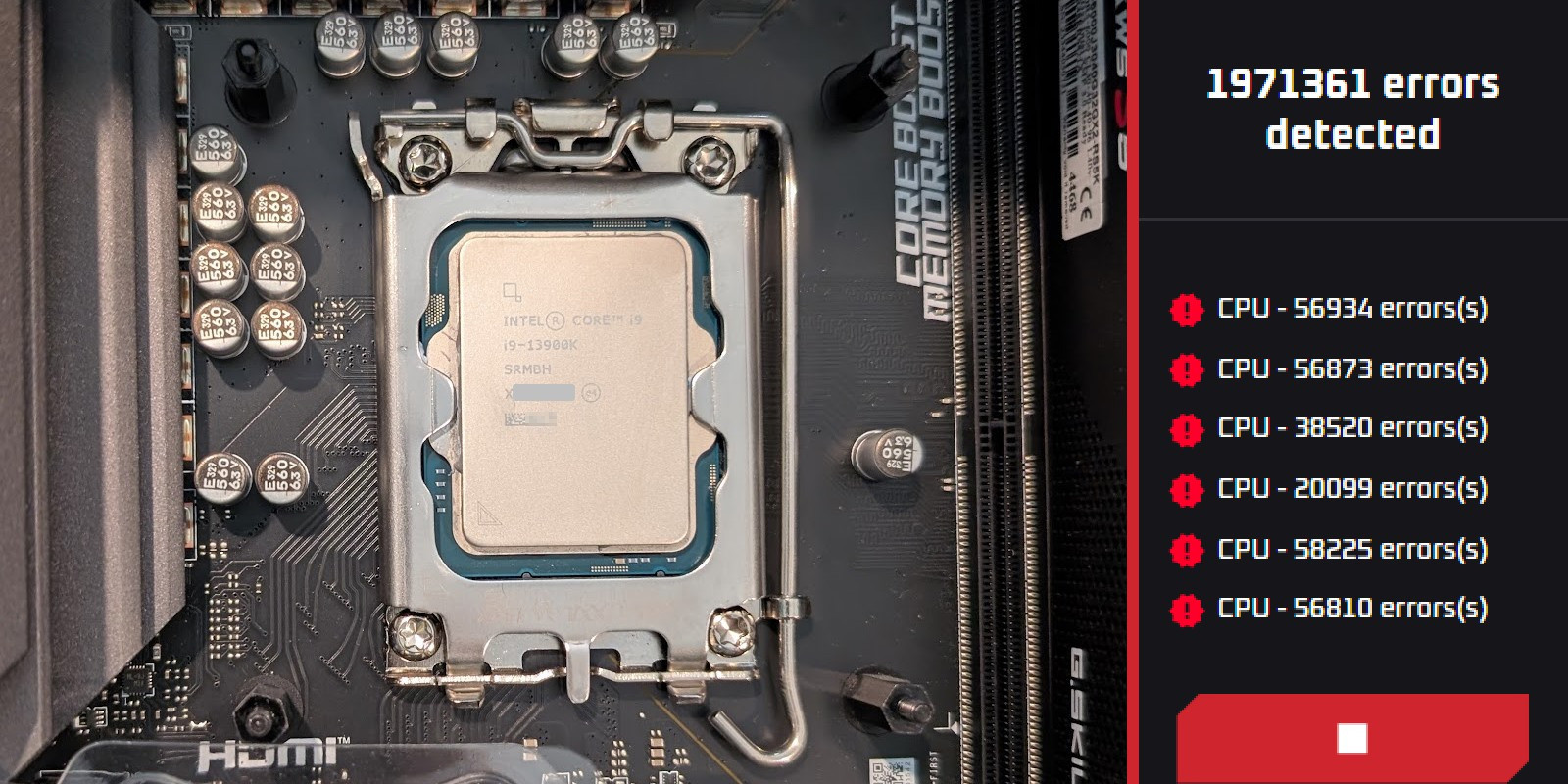
My development machine was getting unstable and our tests kept failing with errors that should never happen. It turned out to be my Intel Core i9-13900K, degraded by the Vmin Shift Instability. This post describes how I finally caught the fault with a stress test, found out that Intel had extended the warranty to 5 years, and got the CPU replaced with surprisingly little hassle. If you own one of these CPUs, it is not too late to test it.
1. My computer was not well#
Over the past year, I noticed that my system was getting quite unstable. Apart from occasional program crashes, our test suite was becoming more and more flaky. Initially, I was blaming myself, then our team. But I was quickly reminded that nobody else, including our CI server, was observing any flakiness (the details are in Appendix B: How the faulty CPU manifested itself). So I investigated deeper.
I knew that my CPU was from Intel's 13th gen, which had a degradation issue (the Vmin Shift Instability[1]), but that was years back, and I have always kept my BIOS updated to avoid the damage. My first thought was RAM, but it passed a full memory test. So back to the CPU hypothesis.
I downloaded a CPU benchmark called Prime95 and let it run for an hour without any issue. I tried a few different combinations, but all of them seemed to be working fine.
Next, I found Intel's official CPU testing tool, the Intel Processor Diagnostic Tool, ran it, and all tests passed. One thing I noticed was that this tool finished relatively quickly, so I doubted that it was loading the CPU long enough to show the instability I was after. In my experience, the unit test failures only occurred after a few minutes under load.
Until then, I had been searching for "CPU benchmark" tools, but when I searched for "stability CPU tool", OCCT came up. I had never used any CPU benchmarking tools, and I had never done any overclocking, so these tools were all new to me. Anyhow, I ran OCCT's default stability test, and it passed as well. But OCCT has quite a neat UI, so I was exploring some additional settings, and then I got my first failure.
2. Found it!#
The test that finally caught it cycled through the P-cores and loaded each one with 2 threads (using hyper-threading). Whenever the test hit the 5th or 6th core, faults were reported by the millions! And the "error detected" sound made me jump in my chair when I first heard it (I was not ready for that!).
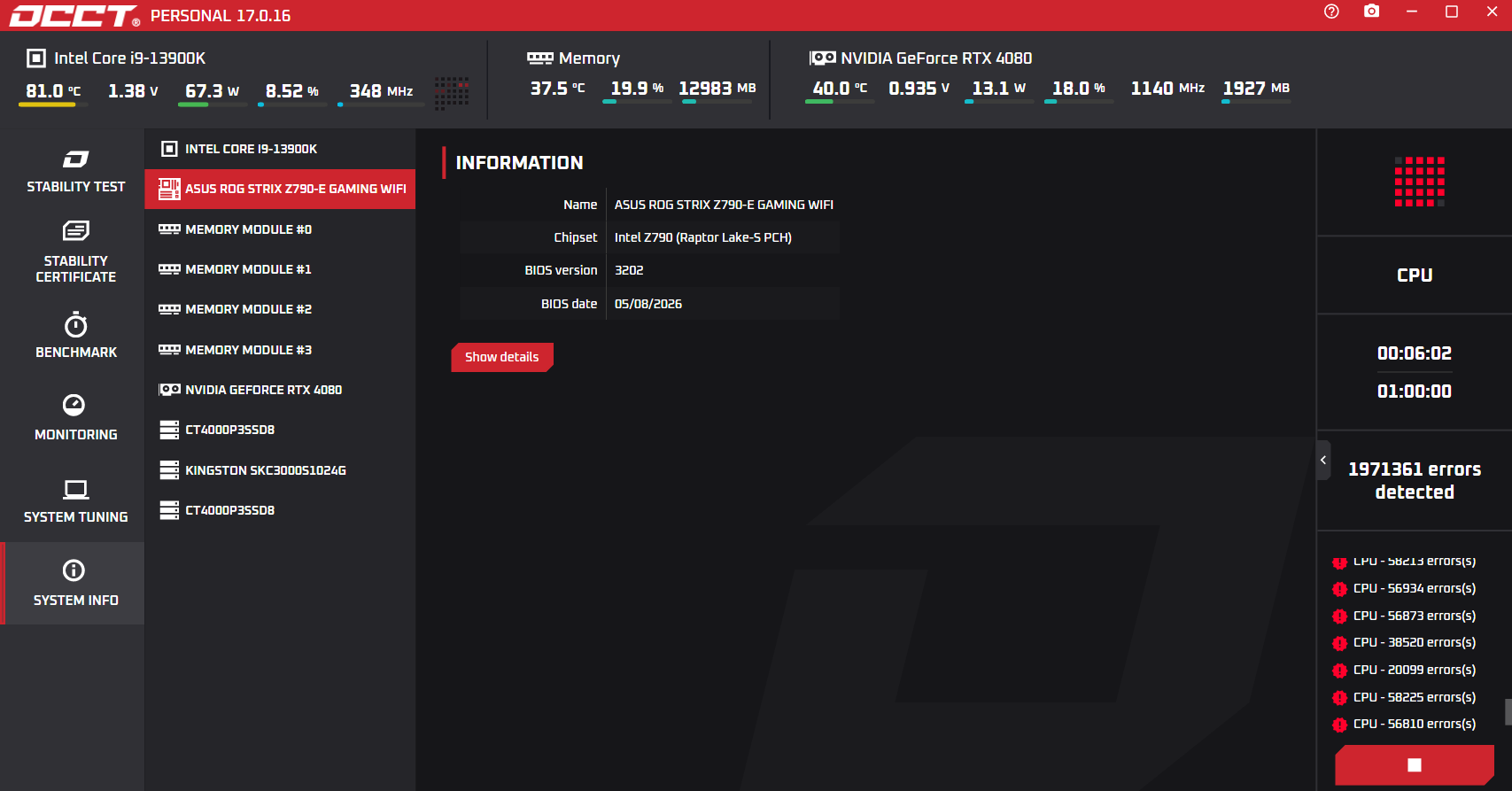 Figure 1: The first time I saw the errors being reported, six minutes into the OCCT test.
And here are the OCCT settings I used to reproduce the issue.
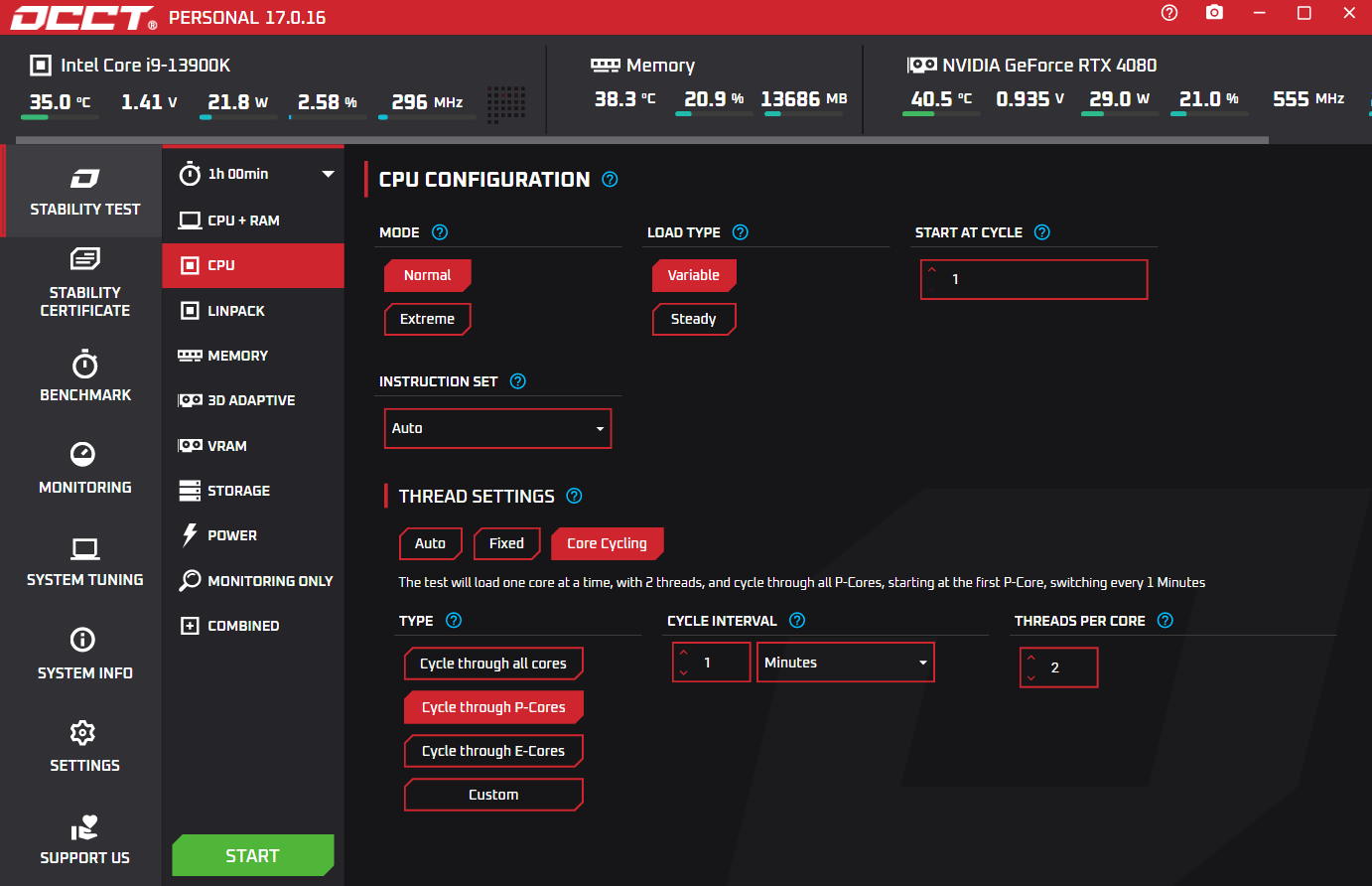 Figure 2: OCCT settings of the failing test: CPU test with core cycling through the P-cores, 1 minute per core, 2 threads per core.
I was so excited to have found the CPU issue that I tried to write a program to detect it. I was thinking that if we could ship such a test as part of our game, players could test their systems. However, I was unable to make a stable test in C#, and I was not in the mood for dealing with native code.
3. Extended warranty#
Now that I had real proof that my CPU was bad, I thought that I just needed a new one, as mine was around 4 years old anyway. While I was researching my options with Claude, it told me that due to the severity of the instability issue, Intel had extended the warranty on these CPUs to 5 years.
So I went to check my warranty coverage. The tricky part was that it wanted my CPU's serial number, which is either on the box or on the CPU itself. But to get to the CPU, I'd have to remove the CPU cooler, and I really didn't want to do that (and I didn't have spare thermal paste to put it back together). Out of pure luck, I searched my Google Photos for "cpu box" and found a photo from 2022 of the unopened CPU box with a legible serial number. I could not believe it. So I entered the number and there it was: covered until 2028!
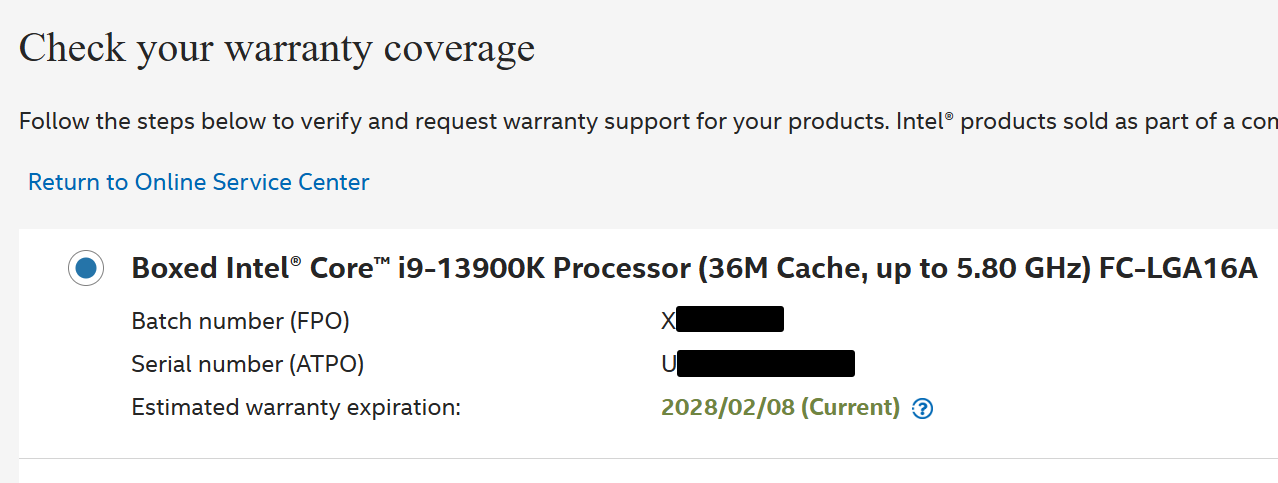 Figure 3: Intel's warranty check for my i9-13900K, with the estimated warranty expiration in February 2028.
So I went ahead and opened a ticket that included the OCCT screenshots showing the failures. They responded with a bunch of tests for me to do, including a request to swap CPUs between different systems to rule out RAM and motherboard issues.
4. The CPU swap#
Initially, I was quite reluctant to do the CPU swap, but I wanted to be sure myself that the CPU was really at fault and not something else, so I went for it. I managed to source another computer with a compatible socket and did the swap.
The time-consuming part was actually waiting for new thermal paste. I got 4 grams, because I knew I would be doing multiple swaps anyway.
The swap only confirmed the issue. My CPU was failing on the other machine, and the other CPU was not failing on mine. I submitted this new evidence to Intel.
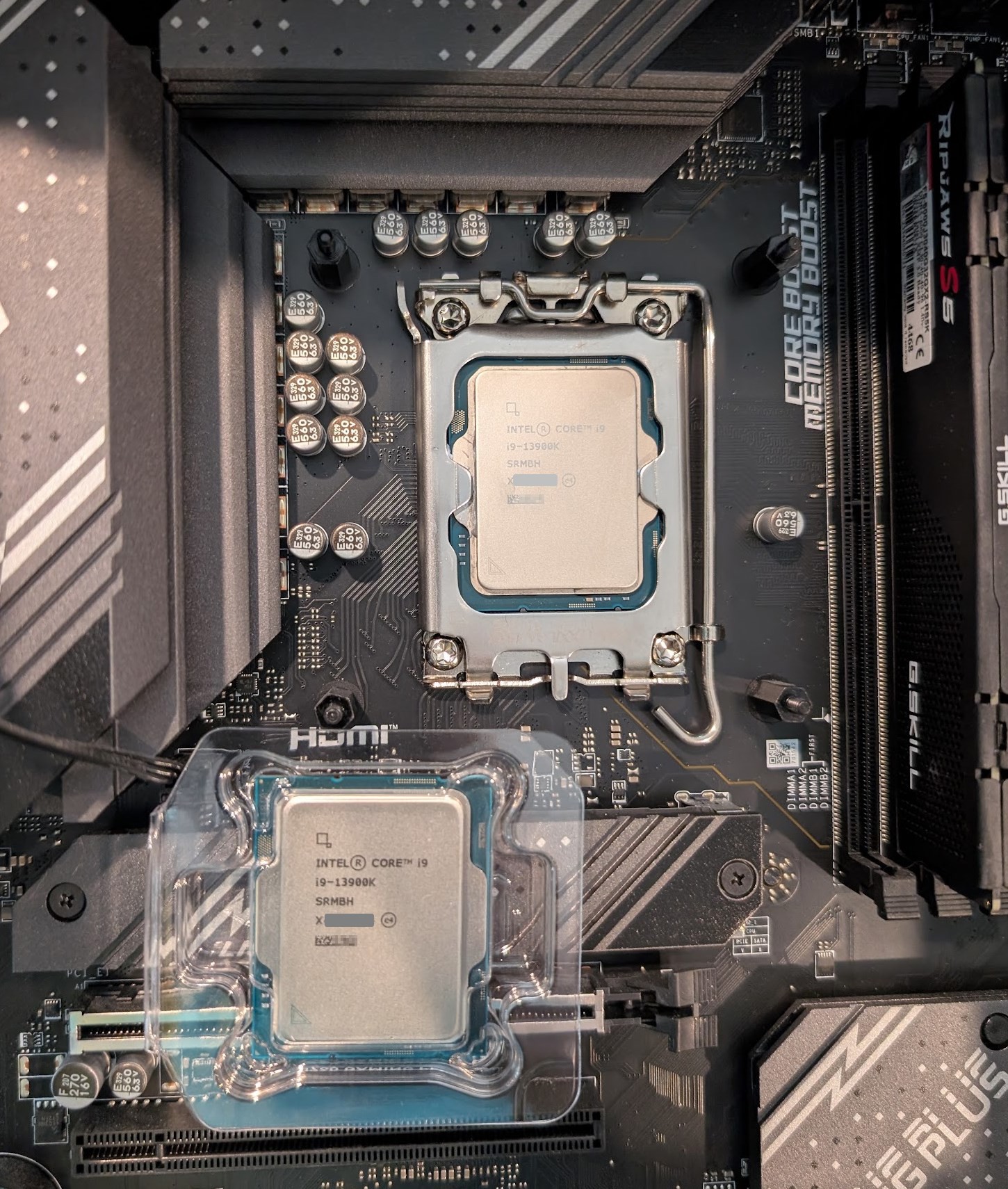 Figure 4: Swapping CPUs on the "donor" PC.
5. The "rapid" RMA process#
After Intel reviewed my additional proof that the CPU was faulty, they approved the RMA (Return Merchandise Authorization) as a "Standard Warranty Replacement" and told me to send my CPU back using a prepaid label. After receiving it, they would confirm that it was faulty and send a replacement back in 5-7 business days.
Well, that's nice, but I cannot be without a CPU for 5-7 business days. So I wrote back that I believed the CPU swap had already proven that the CPU was faulty, and asked whether there were any other options to minimize my downtime.
To my pleasant surprise, Intel support replied that I qualified for their "Rapid Replacement Service", which works as follows. I pay a refundable deposit of $650, they ship me a new CPU, and I have 30 days to return the old one. The service normally has an additional $59 fee, but they told me it would be waived.
This sounded fantastic, so I provided my address, and it all went smoothly. I received the new CPU, swapped it in, and ran all the benchmarks again to make sure it was working correctly. It was. Around 10 days after I shipped the old CPU back, I got the deposit refunded (the package got stuck for 4 days somewhere in Canada?). And as an added bonus, after replacing the 4-year-old thermal paste, my CPU got ~5 °C cooler overall.
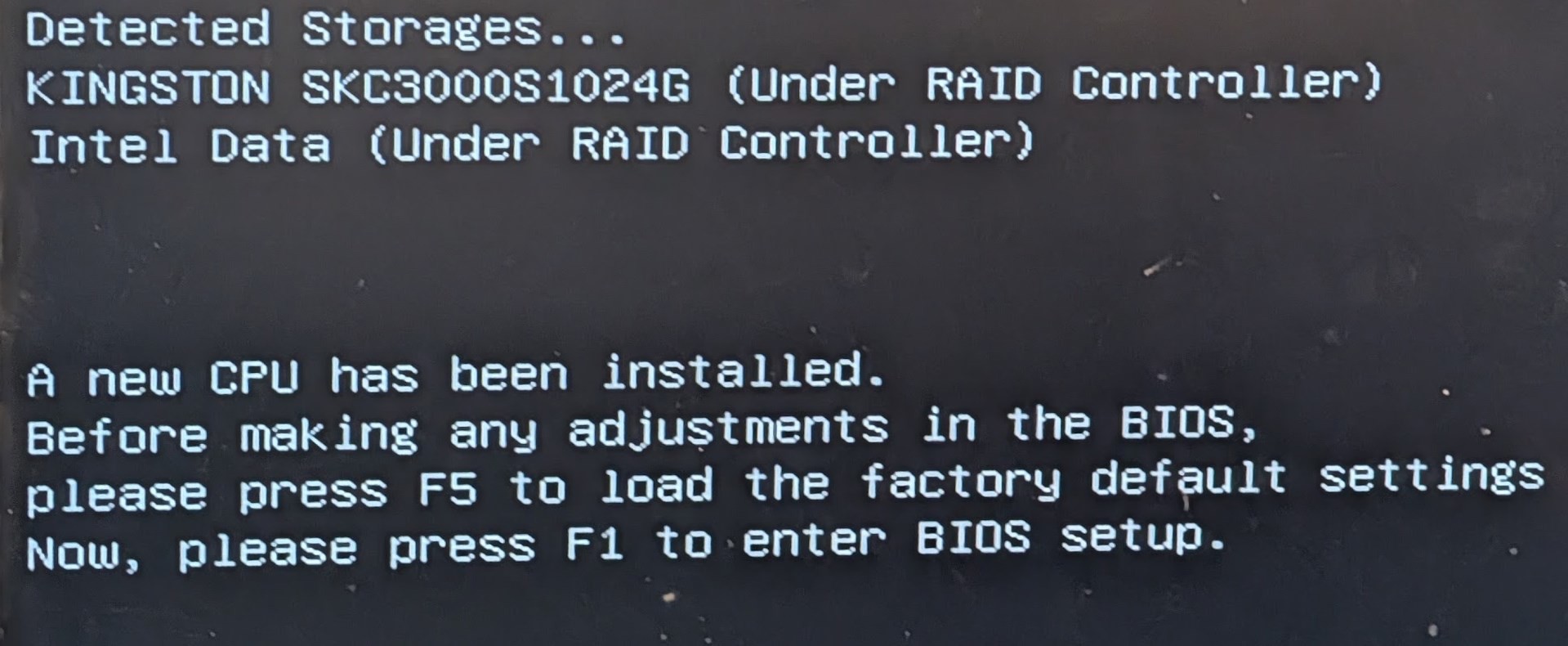 Figure 5: The first boot with the replacement CPU.
I am not sure what qualifies someone for the Rapid Replacement, but being a professional developer who uses the computer every day and having solid proof that the CPU is at fault should be good enough reasons in my eyes.
6. Conclusion#
The main reason I wrote this article is to share with the world that:
If you suspect that your 13th/14th gen Intel CPU is faulty, it is not too late to test it and apply for a warranty replacement!
Our game, Captain of Industry, is played by tens of thousands of players every day, and in our error logs we do see a good portion of "should never happen" issues similar to what I was experiencing (see Appendix B: How the faulty CPU manifested itself). If you want to diagnose your system, see Appendix A: Diagnosing your system.
To close this out, I want to thank Intel for extending the warranty on the affected CPUs, and Intel support for making the RMA process straightforward, something I was honestly not expecting after watching Gamers Nexus for years and seeing what companies do to avoid responsibility.[2]
Now I pray that my RAM sticks and GPU will hold up for the foreseeable future!
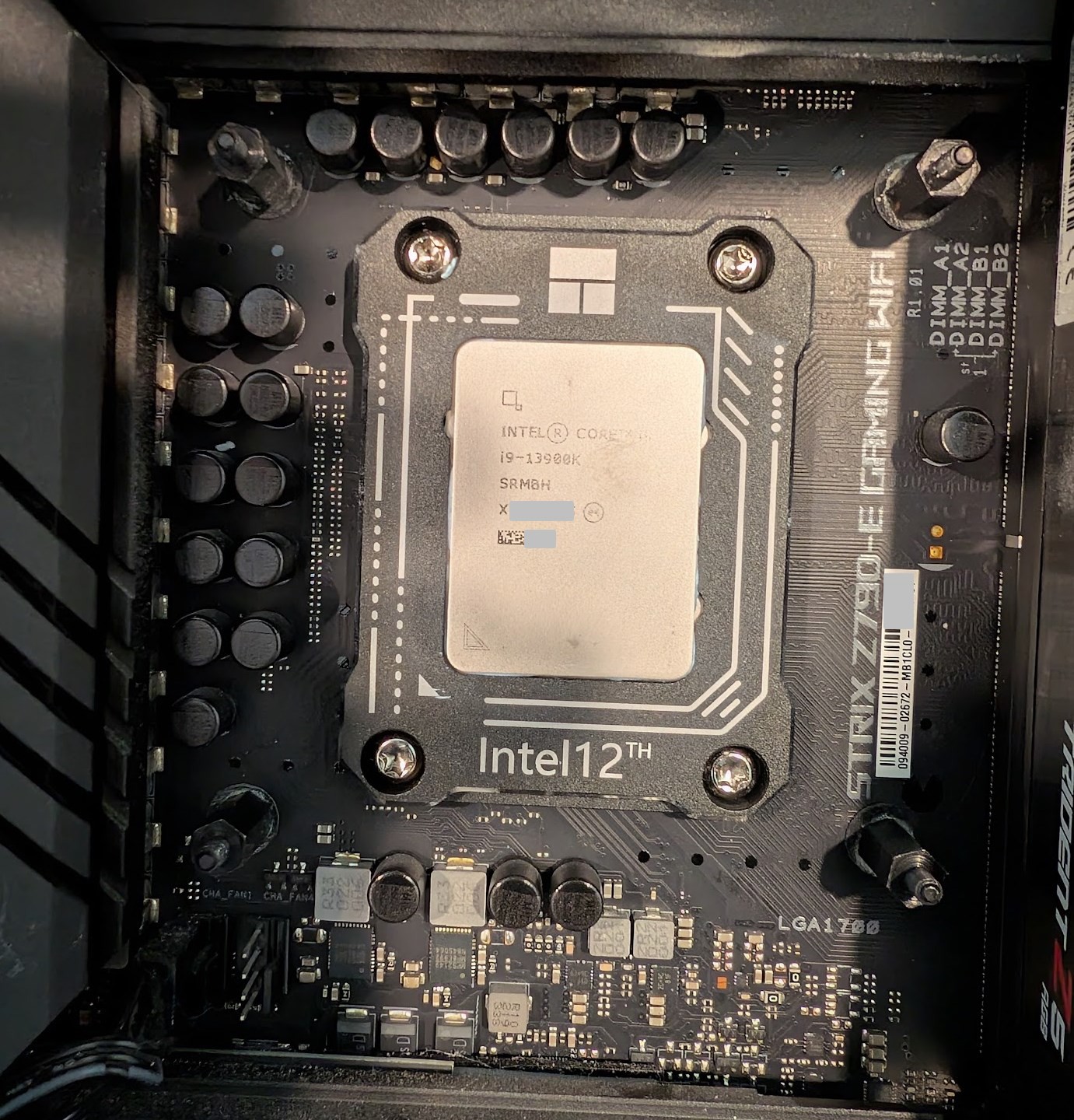 Figure 6: My computer, hopefully stable for a while now. Ignore the "Intel 12th" on the CPU frame. It fits 13th gen CPUs too, I promise!
Footnotes
Intel calls it the "Vmin Shift Instability". In short, the CPU was asking for too much voltage, which slowly damages a circuit inside the cores until they start computing wrong results under load. BIOS updates stop further damage, but they cannot repair a CPU that is already degraded. See the Raptor Lake article on Wikipedia for details. ↩
A good example is GN's 2024 investigation ASUS Scammed Us, in which ASUS denied a warranty repair of a broken handheld console, blamed a barely visible ding in the plastic, and asked for $191 to fix the ding instead. GN's Intel's Biggest Failure in Years video (July 2024) also reported that Intel had rejected some returns of these CPUs even though it already knew about a manufacturing defect in some of them. ↩
Appendix A: Diagnosing your system#
If you have an Intel 13th/14th gen CPU and are encountering seemingly random crashes or instabilities in CPU-intensive programs (such as video games, video processing, etc.), consider diagnosing your system.
- Download OCCT and run the default
Stability test. - If the above test is clean, switch to
Core Cycling,Cycle through P-Cores, 1 minute each, and 2 threads per core (all the settings are in Figure 2), and run this test for ~15 minutes. This was the test that revealed my issue. You can also increase the time per core to 2-5 minutes to be absolutely sure. - If you still see no faults, try the Intel Processor Diagnostic Tool.
- If you still see no faults, feel free to try other CPU testers like Prime95, but at this point your CPU may be fine.
If any of the tools detect faults, check your warranty status on Intel's site, and if the CPU is under warranty, file an RMA request from the warranty results page.
Appendix B: How the faulty CPU manifested itself#
Here is what the degrading CPU looked like from my side, in case you are debugging something similar. The heaviest workloads on my machine are the Captain of Industry test suite (.NET 10, heavily parallelized) and my fractal explorer (also .NET 10 and parallelized), and both kept failing randomly. On a bad day, about 4 out of 5 full test-suite runs aborted, while the runs that did not abort passed every test.
When a program crashed, it just closed without any error message, and a crash logger did not write anything either.
The Windows event log showed one of these two errors, both in coreclr.dll (the .NET runtime):
0xc0000005(access violation), sometimes at an invalid address such as0x00007ff800000001in an "unknown" module.0xc0000409atcoreclr.dll+0x1855fd, which is the runtime killing the process because a stack cookie check failed inCrawlFrame::SetCurGSCookie. The same crash was reported in dotnet/runtime#89309, where it was caused by a wrong P/Invoke signature.
My code is pure .NET without any unsafe shenanigans, so its bugs show up as regular .NET exceptions, which the crash logger catches.
Crashes like these are extremely rare in such code, and they would mean a bug in the JIT or the .NET runtime itself.
Then there were the "should never happen" exceptions, which sometimes came seconds before a crash:
CancellationToken.None.ThrowIfCancellationRequested()threwOperationCanceledException(Nonecan never be cancelled!).NullReferenceExceptionon a line that only writes a constant to afloatpassed by reference.IndexOutOfRangeExceptioninside .NET's ownBigInteger.GetBitLength.
Some values in registers or memory were getting corrupted, and whatever code checked them first threw an exception.
The same crashes even happened in dotnet.exe while it was not running any of my code.